

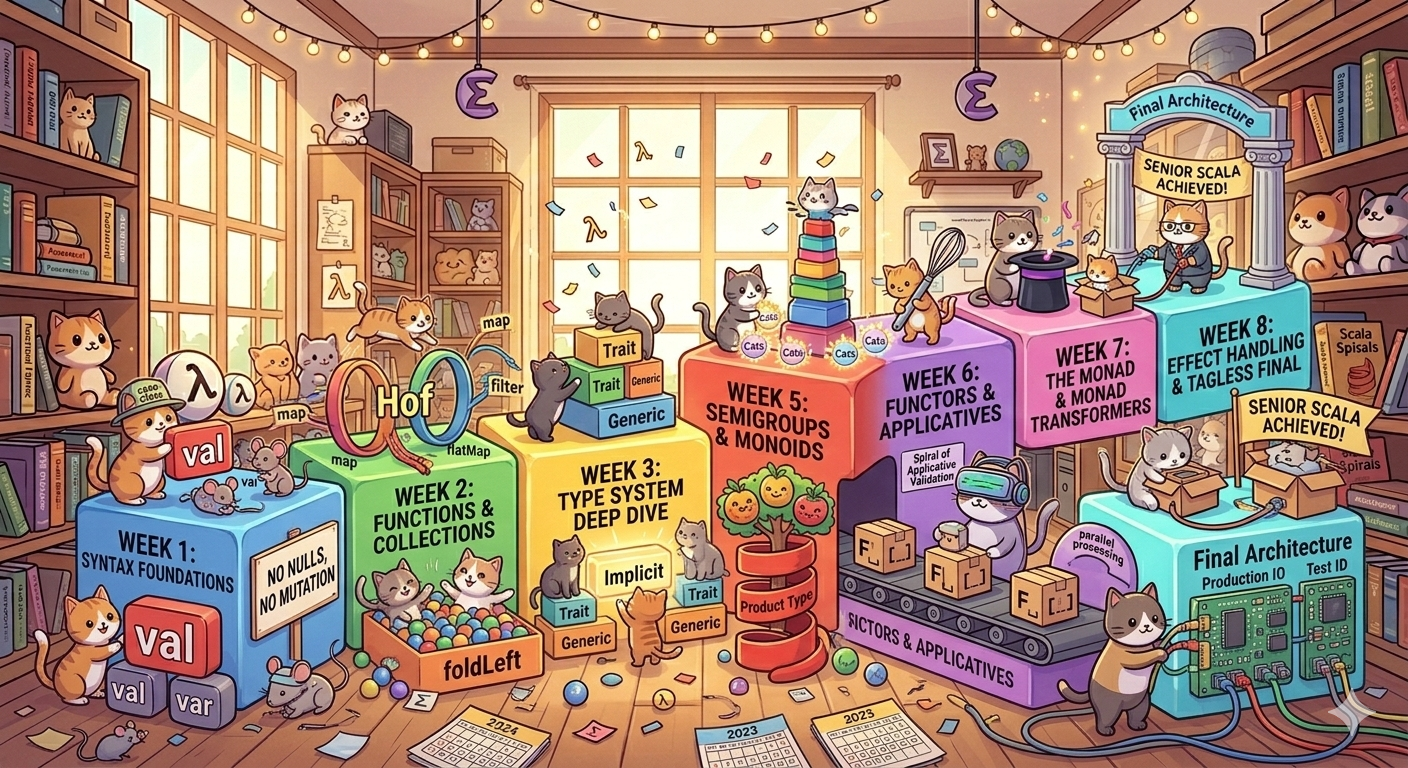
Scala learning path
Perhaps Gemini could plan my learning of Scala?…
Yes, it can.
See:
I wish me good luck.
Credits
Gemini.
Perhaps Gemini could plan my learning of Scala?…
Yes, it can.
See:
I wish me good luck.
Gemini.

Leaving a familiar ground of Java, Maven and Spring Boot, and switching back to another JVM language - Scala - shouldn’t be a Big Deal, right?
Especially when once upon a time I did complete two Cursera courses about Scala and Functional Programming, which - as far as I remember - were really eye-opening, rewarding and funny.
Let’s dive into remote memories…
When I was learning Clojure, I had one issue (no, it was not about parenthesis; those serve me well) and it was: learning Emacs. An adventure of its own. Also, some language concepts needed to settle in my head. My fingers needed to learn paredit shortcuts. And I had a lot of fun.
Let’s write some Rust! 🦀 Today I had an idea to write a short program to remind me about important anniversaries.
Let’s create a new rust project named diary:
|
|
Cargo creates this simple directory structure:
|
|
|
|
cargo rundu -sh target/debug/diary (3.8M)--release flag, i.e. cargo build --releasedu -sh target/release/diary (428K)…to automaticlally strip symbols from binary (strip=true) and enable link time optimization which removes dead code and may therefore reduce binary size (lto=true)

Big changes are hapenning in my life:
Decision to start using Emacs was primarily made because I was unable to use neovim at work:
I also found a few refreshing resources:

This article presents a short overview of what has changed in Maven 4: changes in POM, most important improvements and a short migration guide. It is packed with helpful links which - I hope - will inspire you to check and play with this (still in beta) new Maven release.
You don’t need to read this article. Just look at the reference below: \uf0a7
The problem that maven 4 solves is the lack of separation of concerns. And there are two which - untill maven 4 - were not cleanly set apart:

The talk Apache Maven Survival Guide “Bring It On! gives a nice overview of the tools and techniques for managing the build process.
Apache Maven runtime is by default using Super Pom which - unless specified otherwiese - is the parent of each pom file:
Important: understanding what direct and indirect (transitive) dependencies are:
Learn to use mvn help:effective-pom - it merges default pom with the one in your repository. This is important, becasue if someone has different maven versions then - although they are using the same project’s pom, their default poms will almost certainly be different!

One morning I faced a familiar challenge – processing a list of data through multiple transformation steps. In Java, I would chain a stream of operations (filter, map, collect), but in Go the tools are different. Although Go is not a “functional” language per se, it does offer first-class functions and closures that enable functional-style designs.
As Eli Bendersky notes, Go has “many of the building blocks required to support functional programming” even if FP “isn’t a mainstream paradigm” in Go eli.thegreenplace.net. My goal was to leverage higher-order functions, function composition, and closures to build a clean, maintainable pipeline – while comparing how Java’s lambdas and streams handle similar tasks.

In my previous post I wrote about Gum which is a program that allows writing beautiful interactive shell scripts.
If you want to go beyond simple shell scripts, you can use bubbletea with lipgloss for terminal styles and layout, also utilizing bubbles. Check also other goodies on charm.sh page for yourself!
You can start by cloning bubbletea-app-template which is a small working example app which imports bubbles and lipgloss.

One of the many reasons I don’t blog regularily is the fact that it is not easy for me to do some necesary preparation tasks:
hugo new <path> which is better as it prepopulates frontmatterThese tasks are tiny but very effective in growing in my mind as “stuff” I need to do first. In order to make hard things easy and build better habits I decided I need to minimize this friction and created a bash script that does this for me, asking questions as I go. And this bash script should be fun to run and use.