https://www.gravatar.com/avatar/306d401b2a8c0efe0996fec60e0c90aa?s=240&d=mp

My coding journey

Disclaimer: it's just for fun

How to use Maven 4.0

This article presents a short overview of what has changed in Maven 4: changes in POM, most important improvements and a short migration guide. It is packed with helpful links which - I hope - will inspire you to check and play with this (still in beta) new Maven release.

You don’t need to read this article. Just look at the reference below: \uf0a7

The problem

The problem that maven 4 solves is the lack of separation of concerns. And there are two which - untill maven 4 - were not cleanly set apart:

Maven Notes from JavaOne 2025

Notes from JavaOne

The talk Apache Maven Survival Guide “Bring It On! gives a nice overview of the tools and techniques for managing the build process.

Random trivia

Super POM

Apache Maven runtime is by default using Super Pom which - unless specified otherwiese - is the parent of each pom file:

Dependency management

Important: understanding what direct and indirect (transitive) dependencies are:

Check default versions

Use mvn help:effective-pom

Learn to use mvn help:effective-pom - it merges default pom with the one in your repository. This is important, becasue if someone has different maven versions then - although they are using the same project’s pom, their default poms will almost certainly be different!

Functional Patterns in Go

Functional Patterns in Go

One morning I faced a familiar challenge – processing a list of data through multiple transformation steps. In Java, I would chain a stream of operations (filtermapcollect), but in Go the tools are different. Although Go is not a “functional” language per se, it does offer first-class functions and closures that enable functional-style designs.

As Eli Bendersky notes, Go has “many of the building blocks required to support functional programming” even if FP “isn’t a mainstream paradigm” in Go eli.thegreenplace.net. My goal was to leverage higher-order functions, function composition, and closures to build a clean, maintainable pipeline – while comparing how Java’s lambdas and streams handle similar tasks.

How to write Bubbletea CLI app in golang

Intro

In my previous post I wrote about Gum which is a program that allows writing beautiful interactive shell scripts.

If you want to go beyond simple shell scripts, you can use bubbletea with lipgloss for terminal styles and layout, also utilizing bubbles. Check also other goodies on charm.sh page for yourself!

How to write Bubbletea CLI app in golang

  1. have an idea
  2. think about screen transitions, models. key bindings
  3. explore existing “bubbles”
  4. familiarize yourself with examples
  5. start coding
  6. profit!

Really, how to start?

You can start by cloning bubbletea-app-template which is a small working example app which imports bubbles and lipgloss.

Gum for better shell scripts

Blogging

One of the many reasons I don’t blog regularily is the fact that it is not easy for me to do some necesary preparation tasks:

  • cd into content directory
  • create a folder
  • decide what laguage I want to use (en or pl)
  • create a file and add frontmatter or
  • use hugo new <path> which is better as it prepopulates frontmatter
  • update the frontmatter with description
  • use my tool to check what are the tags I used to assign to my posts so that I can reuse them (check go-lista-tagow(pl))

These tasks are tiny but very effective in growing in my mind as “stuff” I need to do first. In order to make hard things easy and build better habits I decided I need to minimize this friction and created a bash script that does this for me, asking questions as I go. And this bash script should be fun to run and use.

Go: concurrency patterns

This article is the result of me taking notes and trying out basic concurrency concepts presented by Rob Pike in his talk available here: YT video by Rob Pike.

Spawning a goroutine

When you just want to run a goroutine, it does not make the caller wait. The program behaves as if you just spawn a shell command with & at the end.

 1
 2
 3
 4
 5
 6
 7
 8
 9
10
11
12
13
14

package main

import (
	"fmt"
	"math/rand"
)

func idea(text string) {
	fmt.Printf("Idea #%d: %s", rand.Int31n(1000), text)
}
func main() {
	go idea("Where is the spring?")
}

We could wait some time for the goroutine to finish:

Java 24 Overview

As a Java senior developer I am always interested in the latest advancements in Java (24). I decided to take a look and summarise what’s happening “at the Edge” of Java.

This release brings a host of new features and improvements that promise to enhance our development experience and push the boundaries of what we can achieve with Java. Each release makes tons and tons of Java tutorials onliny simply deprecated and this is particularily important for those who start to learn java. Perhaps I’m getting old, but the pace makes me feel like I just don’t follow along 👵

Lox interpreter in Rust

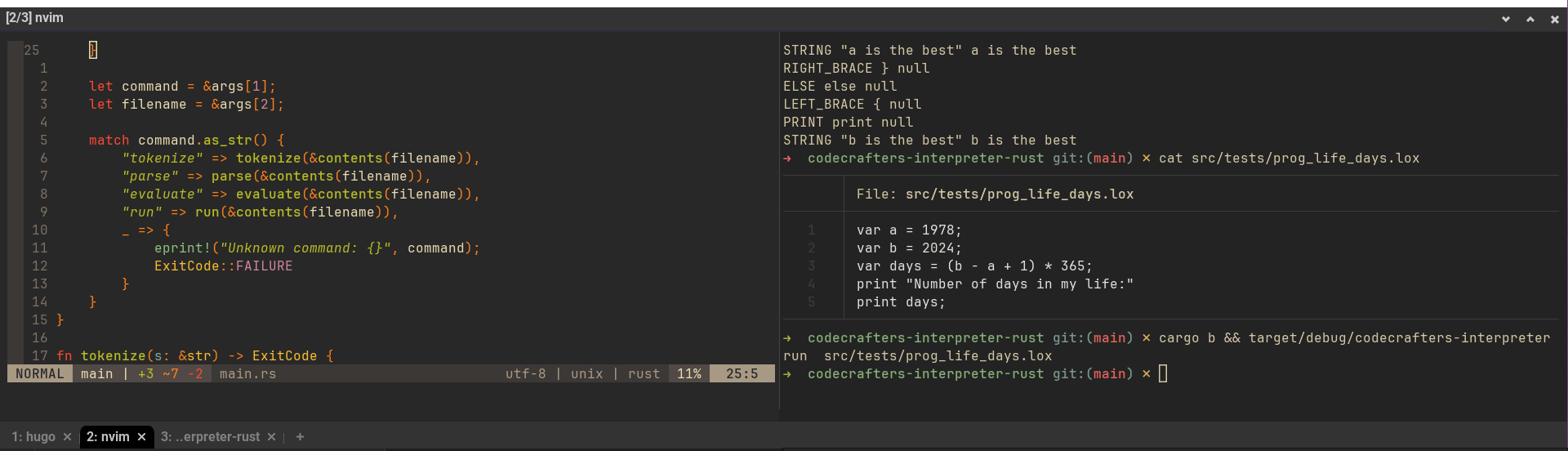
One day when listening to one of Jon Gjengset videos I felt inspired to build something in Rust using https://app.codecrafters.io/catalog page. As a Rust beginner and self-diagnosed ADD thought my inspiration would not last long.

Interestingly, I continued with tasks day by day, slowly making progress till the end (of the beta version available for free). At the moment my interpreter is comfortably sitting in the GitHub repo and you can see the mess I did there.

My new toys - configuration weekend

New tools

I thought I will give a try and install two applications:

  • alacritty - terminal emulator - almost 55k (!) stars on GH (I need to find out why)
  • zellij - which is a “terminal workspace with batteries included” (hm, why it is so popular?)

In the meantime, I also try out:

  • broot - file finder/browser (just checking if I need it, I’m rather happy with fzf defaults.
  • yazi - which is ranger alternative written in Rust (“Blazing fast terminal file manager written in Rust, based on async I/O.”)

My playground

  • I’m trying out alacritty. Installs without issues on ubuntu with snap. Works just fine. I don’t know why people love alacritty so much.
  • I remember I needed to download zellij, but now I found it on snap;
  • broot is strange and confusing, I played a little with it, it has its potential, I probably need to learn about it more
  • yazi looks nice and promising; it is sooo much faster than ranger (which is witten in Python)
    • however, I need to find out how to change the default configuration of alacritty or yazi so that .png files can be rendered somehow inside the terminal without launching feh or eog
    • (3 mins later) I found this note saying I need to install Uberzug (sounds German and scary, how can people use German unwelcoming names for thei software, I don’t get it.)
  • I also enabled Caret Browsing in firefox to improve working with keyboard only.
  • I watched “How to useand configure Alacritty” by Eric Murphy
  • then The Algorithm just took me over and I started watching, in order:

Dopamine levels: through the roof… …wait and calm down! No, you’re not jumping into Obsidian plugins right now! Hold your horses!